Most solo realtors do not lose buyers because they run out of listings. They lose them in the gap between "I'm interested" and "here are the details." A buyer taps a link from your Instagram bio, lands on a generic page with no photos and no price, has to message you to ask the basics, then goes quiet before you can reply. If you are an individual agent doing your own marketing, that gap is expensive — and stitching together a free page builder, a separate form, and a spreadsheet of leads only makes it wider.
The good news: you do not need a paid stack to close that gap. You need one free page that shows the property properly, lets the buyer contact you in one tap, and quietly records who looked at what. This guide compares the best free landing page builders for individual realtors with CRM, shows where the popular free tools stop short for real estate, and explains how Realty.bio fits the solo-agent workflow at no cost.
What "free landing page builder with CRM" actually means for a solo realtor
When an individual agent searches for this, they are not asking for enterprise marketing software. The job-to-be-done is small and specific:
- Publish a clean page for a listing (or for yourself) without hiring a developer.
- Show photos, price, location, and key details so buyers stop asking the same questions.
- Give buyers a one-tap way to reach you — WhatsApp or Call — while their interest is fresh.
- Keep some record of who engaged: which listing they viewed, and how they tried to contact you.
- Do all of it from your phone, between showings, for free.
That last line — the "CRM" part — trips people up. For a solo realtor, "CRM" does not mean a sprawling sales pipeline. It means lead context: knowing which page created the enquiry so your first reply does not start from zero. A free tool that captures a name but not the listing it came from has technically "captured a lead" and still left you guessing.
The best free landing page builders for individual realtors (and where each fits)
Here is an honest look at the tools solo agents actually reach for, and what you get on the free tier.
Carrd — Beautifully simple single-page builder, and cheap-to-free for one page. Great for a basic bio or a one-off page. But it has no native CRM, no real-estate structure, and no built-in way to tie an enquiry back to a specific property. You end up bolting on a form and exporting contacts by hand.
Wix — A capable general website builder with a free plan (Wix ads and a Wix subdomain). Flexible, but it is built for everything, not for listings. Lead capture leans on forms, deeper CRM features sit behind paid Ascend tiers, and the editing experience is desktop-first — not ideal when you are updating a page from the car before your next viewing.
Linktree — Fast and free for a link-in-bio, and many agents start here. The problem is it is a list of links, not a landing page. There is no property context on the page itself, no lead capture, and no CRM. Buyers still have to leave and go ask you the basics.
HubSpot — The strongest free CRM on this list, with a genuine free landing page builder and contact timeline. If you want a real CRM at $0, it is impressive. The catch for a solo realtor: it is built for generic B2B sales, not property listings. There is no listing-shaped page, no native WhatsApp/Call button, and the setup overhead is real for one person selling homes.
Leadpages / Placester — Both are real options for agents, but neither is truly free. Leadpages is a paid conversion-page tool; Placester is real-estate-specific with a built-in CRM but is trial-based and oriented toward teams and brokerages. Worth knowing, but not answers to "free for an individual realtor."
The pattern is clear: the free tools that are easy are generic, and the free tools with a real CRM are not built around a property. For a solo agent, that means extra work exactly where you have the least time.
Where generic free tools fall short for real estate
If you have tried to run your business on a generic free builder, these gaps will feel familiar:
- No property context on the page. A link-in-bio or a blank template does not show price, location, and photos the way a buyer expects. They message you to ask, and momentum is lost.
- Lead capture without the listing. A generic form gives you a name and an email but not the one thing that matters — which property they were looking at. Your first reply starts cold.
- Contact friction. A long form in front of a ready buyer is a speed bump. Buyers who are actively looking want to tap WhatsApp or Call, not fill out fields.
- Desktop-first editing. Most builders assume you are at a laptop. Solo agents work from their phone, between showings, and need to publish and update in minutes.
- A stack that does not talk to itself. Page in one tool, form in another, leads in a spreadsheet. Nothing connects, so nothing tells you which listing or channel is actually working.
A high-converting page for real estate is not just a pretty template. It is a page that reduces the number of steps between seeing a property and starting a conversation — and remembers what happened. (For a deeper breakdown of what "high-converting" really means for agents, see our companion guide on the high-converting landing page builder for real estate with integrated CRM.)
What a real-estate-first free page should do
Before you pick a tool, check it against the solo realtor's real checklist:
- Does the page show photos, price, and location clearly on mobile?
- Can a buyer reach you in one tap — WhatsApp or Call — without a long form?
- Can you publish and update it from your phone in minutes?
- Does it give you lead context: which listing was viewed, and how they tried to contact you?
- Can you share the same link across Instagram, WhatsApp, QR codes, ads, and your business card?
- Does it look professional enough to represent you against bigger agencies?
If a free tool fails half of these, it is a page builder, not a lead tool.
How Realty.bio fits the individual realtor's free workflow
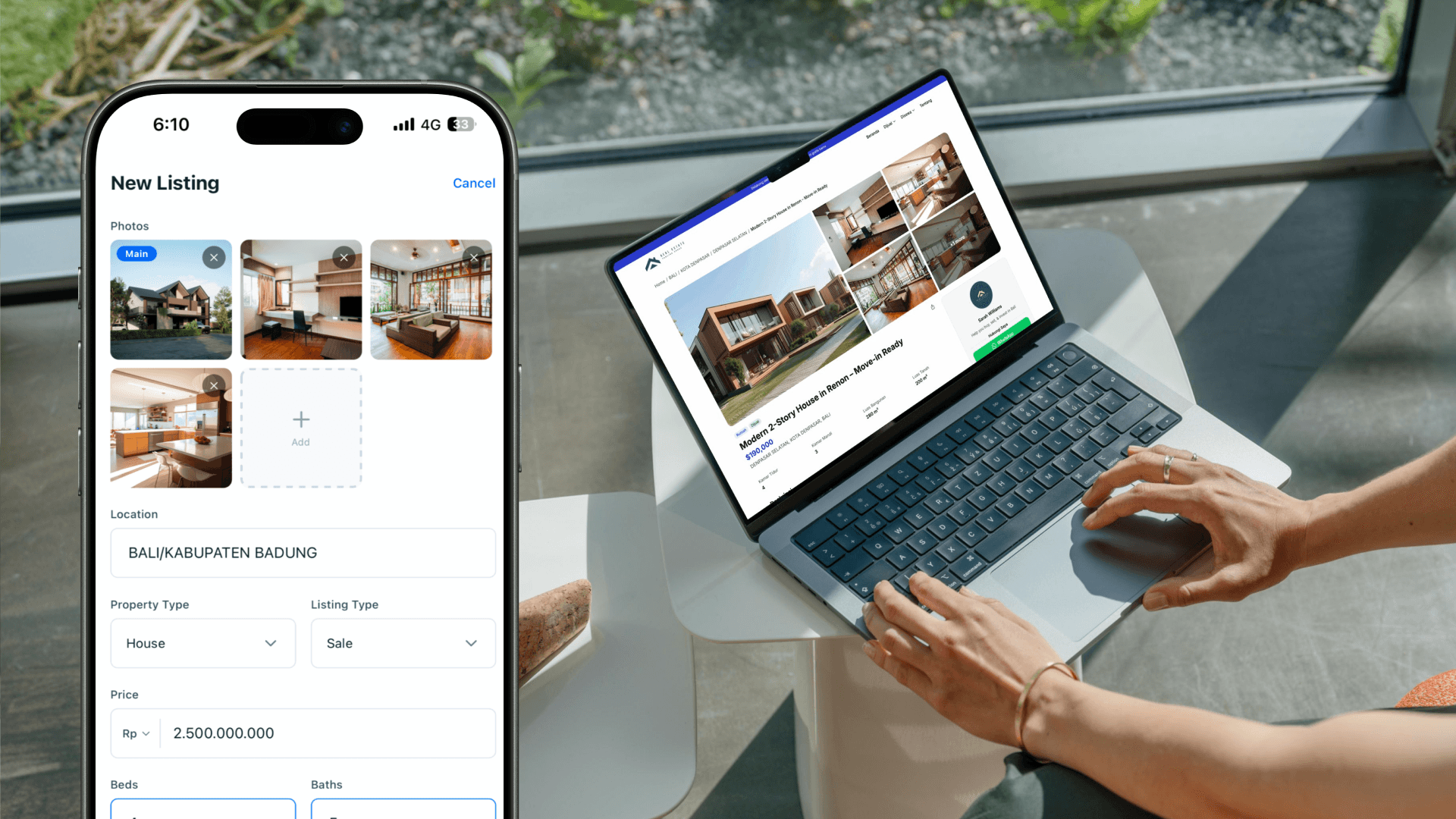
Realty.bio is a mobile-first real estate website builder, and its free plan is built around exactly this checklist — for one agent, at no cost.
- Free to start: the free plan includes up to 6 listings, all themes, and AI listing copy (a monthly allowance on free), with your own
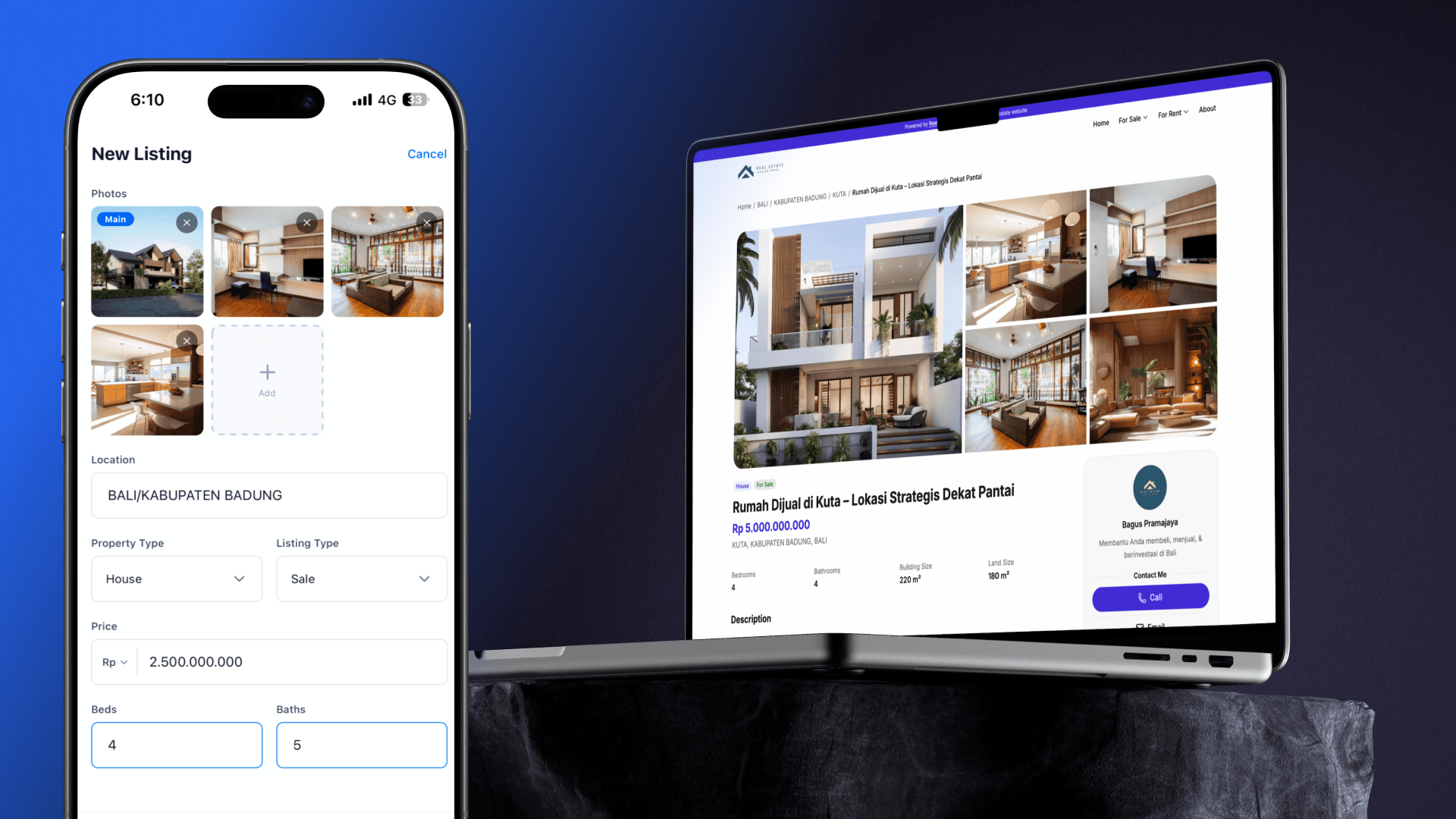
yourname.realty.biolink included. - Built on your phone: add photos, price, location, and highlights, review the AI-drafted description, and publish a listing page in minutes between showings.
- Direct WhatsApp and Call buttons: buyers contact you in one tap while their interest is fresh, instead of stalling on a form.
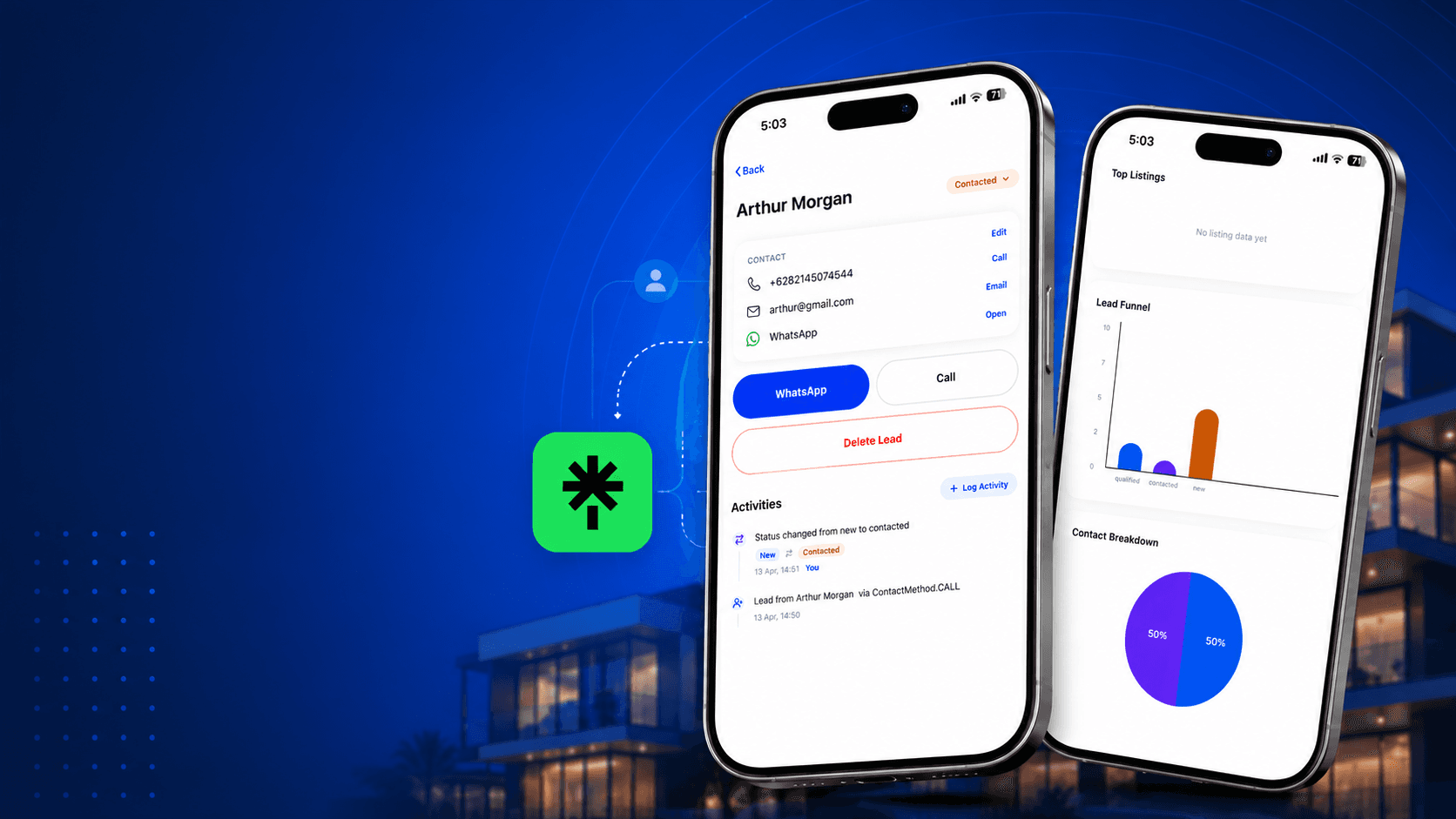
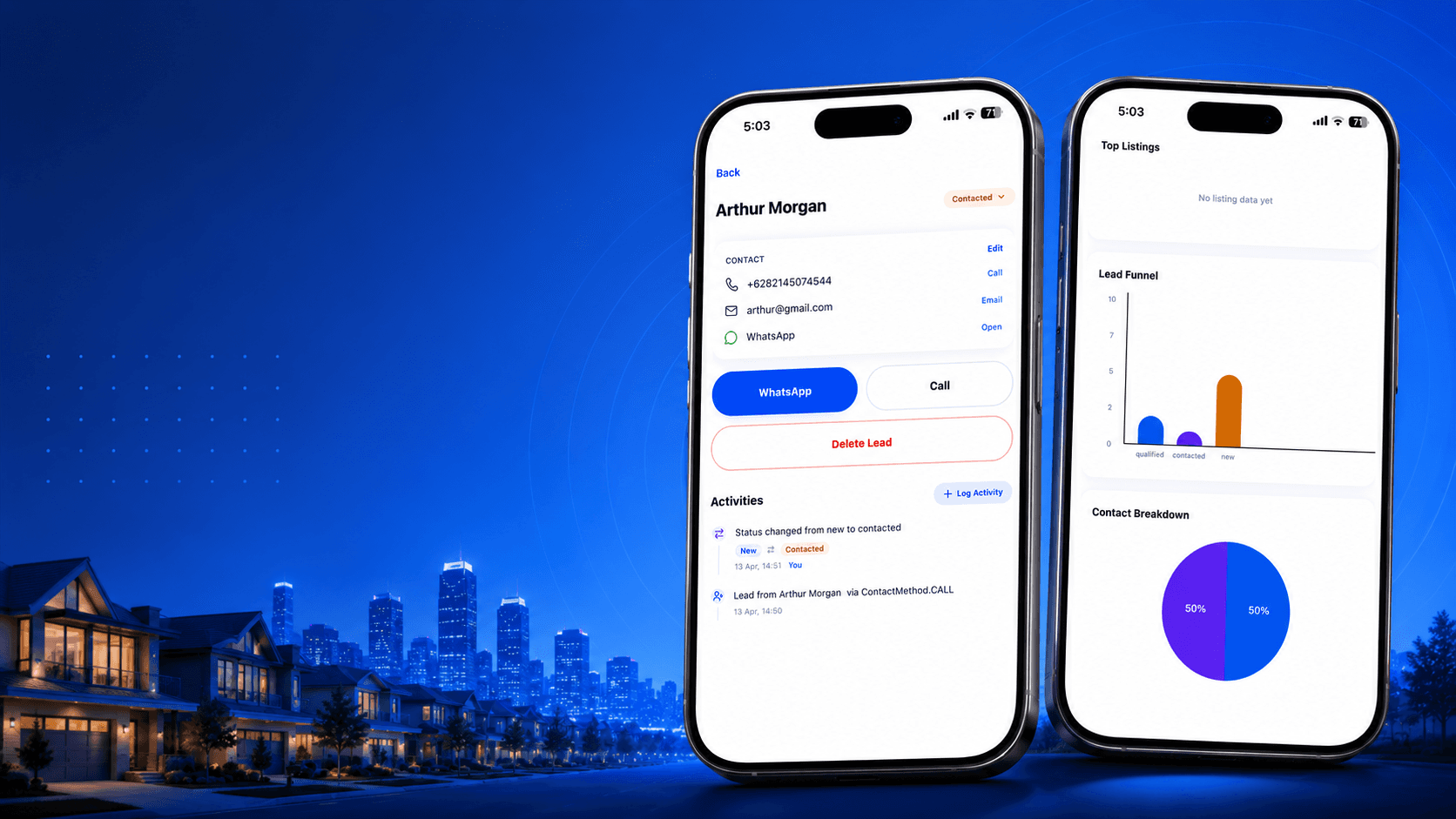
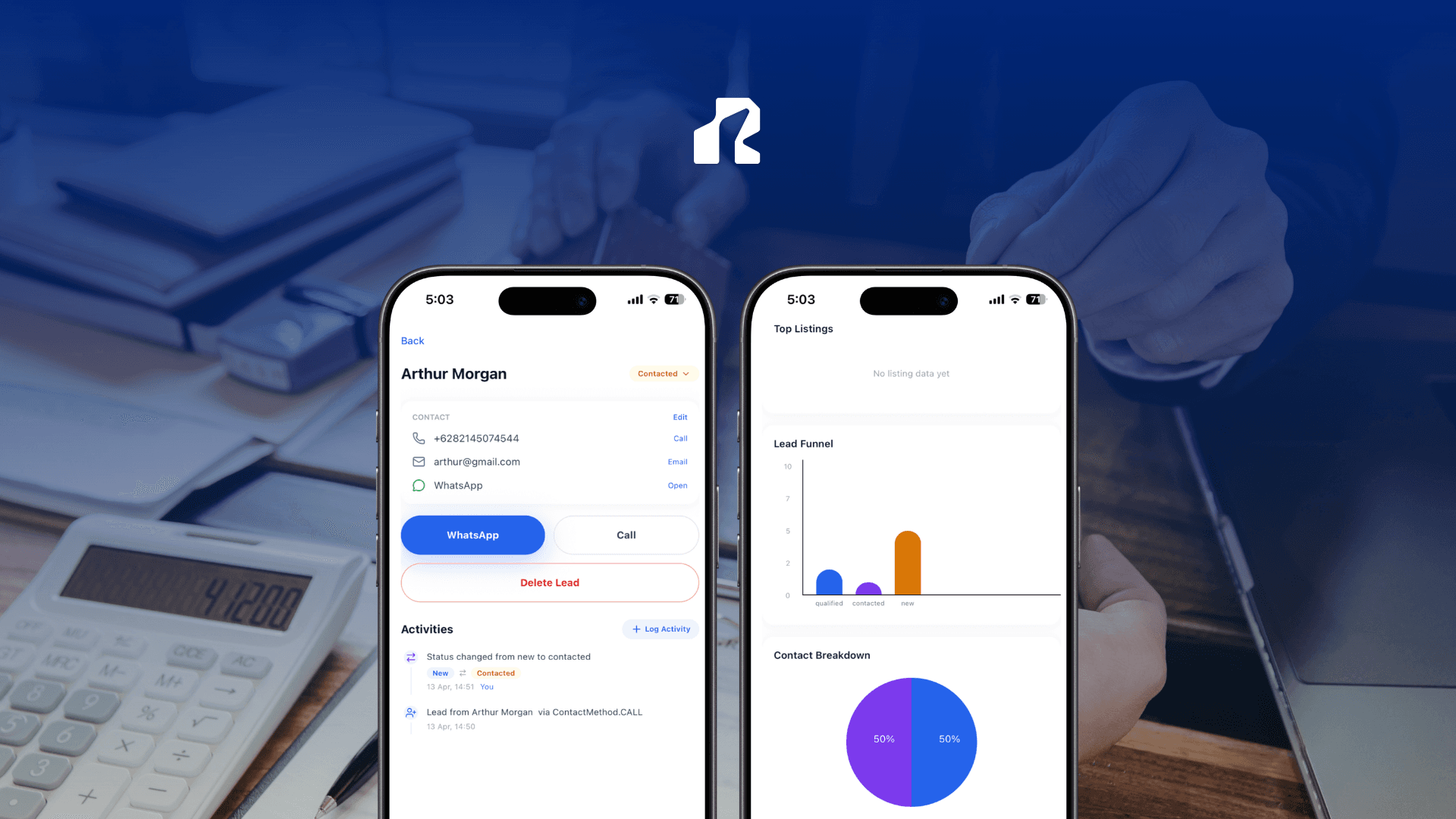
- Lead context, not just a name: the built-in analytics show which listing a visitor viewed and whether they chose WhatsApp or Call — so your first reply starts with context, which is the part solo agents usually lose. See how this plays out in our guide to the easiest real estate CRM with lead capture.
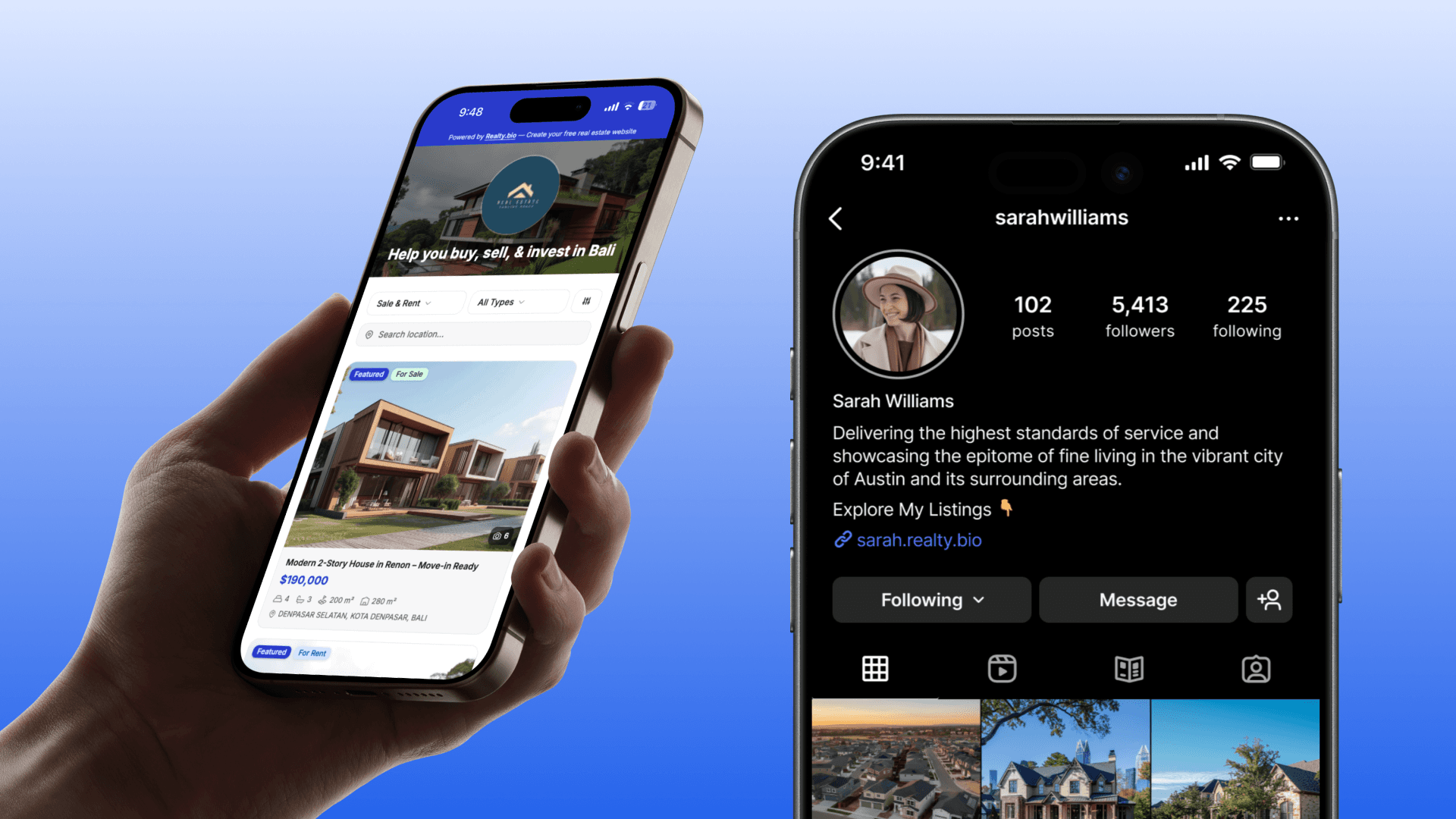
- One link, everywhere: share the same page across Instagram, WhatsApp, QR codes, ads, and business cards — a cleaner move than a buried link-in-bio. If you are coming from a bio-link tool, here is a sleeker Linktree alternative for property listing pages.
- Room to grow: when you outgrow the free plan, Growth (from $7.99/mo) adds more listings and a custom domain, and Pro (from $18.99/mo) adds unlimited listings and fuller analytics.
The point is not that Realty.bio has more features than HubSpot or Wix — it does not try to. The point is that for an individual realtor, a free page that is already shaped like a listing and already records lead context does the job with far less setup than wiring generic free tools together.
Quick comparison
| Tool | Truly free tier | Property/listing context | Built-in lead context / CRM | One-tap WhatsApp/Call | Phone-first editing |
|---|---|---|---|---|---|
| Carrd | Yes (limited) | No | No | Manual | Partly |
| Wix | Yes (ads + subdomain) | No (general) | Forms; CRM on paid tiers | Add-ons | Desktop-leaning |
| Linktree | Yes | No (links only) | No | Link buttons | Yes |
| HubSpot | Yes (generous CRM) | No (generic B2B) | Yes (generic) | Not native | Yes |
| Placester | Trial, not free | Yes | Yes | Varies | Desktop-leaning |
| Realty.bio | Yes ($0, 6 listings) | Yes (listing pages) | Yes (per-listing lead context) | Yes (native) | Yes (built on phone) |
Solo realtor's launch checklist
- Pick one listing (or your agent bio) to publish first.
- Add photos, price, location, and 3–4 real highlights.
- Let AI draft the description, then edit it in your own voice.
- Turn on WhatsApp and Call buttons.
- Put your
yourname.realty.biolink in your Instagram bio, WhatsApp, and a QR code. - After a few days, check which listing drove views and taps — and follow up on the warmest one first.
Start free
You do not need a paid stack to run a professional, high-converting page as a solo agent. Start free and publish your first listing page at yourname.realty.bio — add the photos, let AI draft the copy, and give buyers a one-tap way to reach you. Realty.bio is available on the App Store and Google Play.
FAQ
Is there a genuinely free landing page builder for individual realtors with CRM? Yes. A few free tools combine landing pages with lead capture, but most are generic. Realty.bio's free plan is real-estate-first: up to 6 listings, WhatsApp/Call buttons, and lead context showing which listing a visitor viewed — at no cost.
What does "CRM" mean for a solo agent, versus a big team? For an individual realtor it mostly means lead context: knowing which listing created an enquiry and how the buyer tried to reach you, so your first reply is informed. You do not need an enterprise pipeline — you need to stop starting conversations from zero.
Can I really build and update the page from my phone? Yes. Realty.bio is mobile-first, so you can publish a listing page and update photos, price, or status from your phone between showings, without a laptop or a developer.
Why not just use Linktree or Carrd? They are great for simple link pages, but they do not show property context or capture leads with the listing attached. For real estate, that missing context is usually the difference between a warm follow-up and a cold one.
How is this different from Realty.bio's other landing page guide? This article compares the best free options for a solo agent and helps you choose one. If you want the deeper explainer on what a high-converting builder should do, read the high-converting landing page builder for real estate with integrated CRM guide.
What happens when I outgrow the free plan? Growth (from $7.99/mo) adds more listings and a custom domain; Pro (from $18.99/mo) adds unlimited listings and fuller analytics. You can start entirely free and upgrade only when your listing count or branding needs it.